























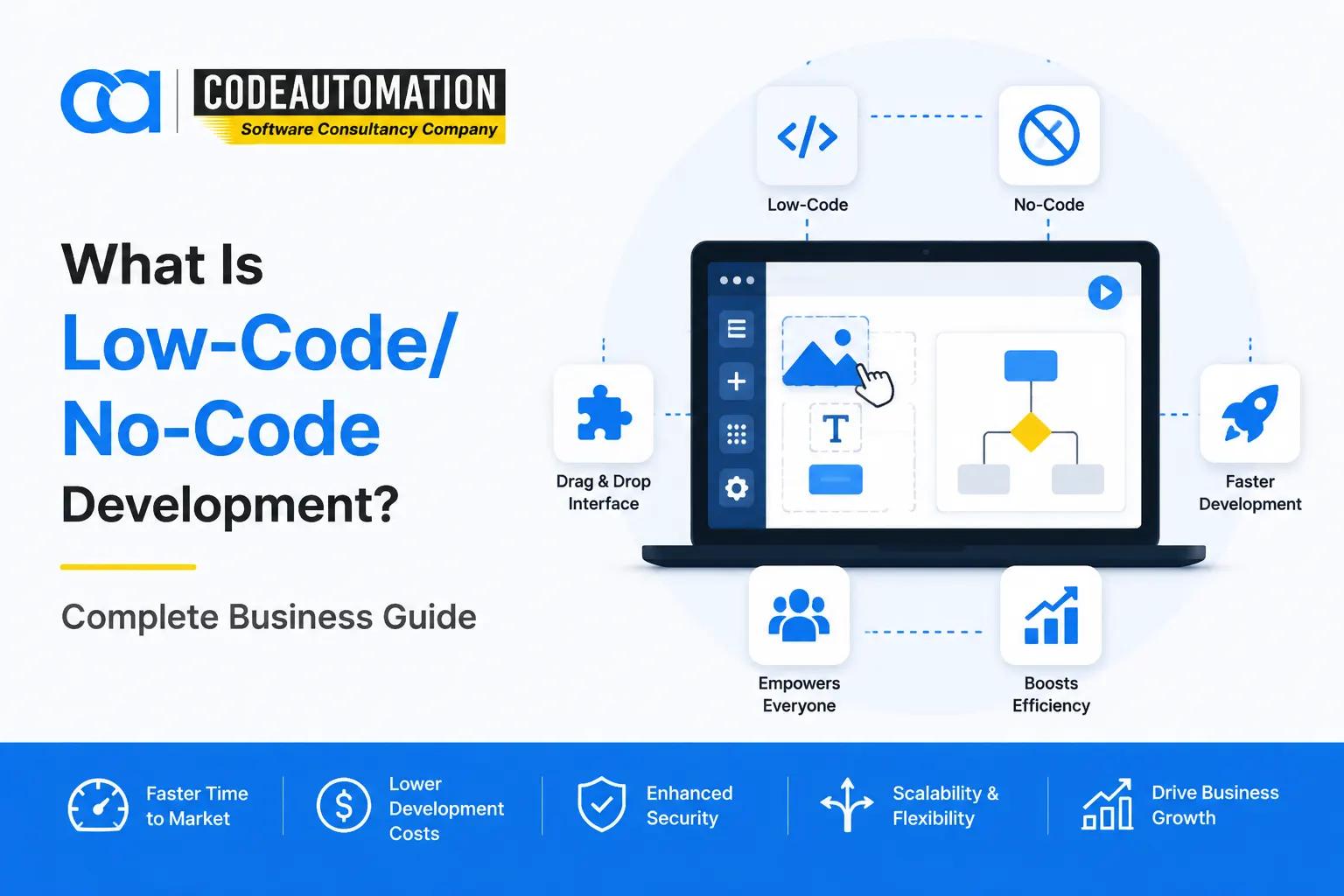
What Is Low-Code/No-Code Development? A Complete Guide for Businesses
Published 27/08/2026
Businesses today rely heavily on software applications to improve operations, automate repetitive tasks, and create better customer experiences. However, traditional software development often requires significant time, specialized engineering resources, and continuous maintenance.

Ready to Automate Your Success?
From AI-powered applications to scalable software development, we help businesses automate workflows and accelerate growth.
Book a Free ConsultationBusinesses today rely heavily on software applications to improve operations, automate repetitive tasks, and create better customer experiences. However, traditional software development often requires significant time, specialized engineering resources, and continuous maintenance.
As organizations face increasing demand for digital solutions, many are adopting low-code and no-code development approaches to build applications faster and improve business agility.
Low-code/no-code development enables organizations to create applications using visual interfaces, reusable components, templates, and automated workflows instead of relying entirely on traditional programming.
These approaches help businesses accelerate application delivery while allowing both technical teams and business users to participate in the development process.
From internal business applications and workflow automation systems to customer portals and operational dashboards, low-code/no-code platforms are changing how organizations build and deploy software solutions.
What Is Low-Code/No-Code Development?
Low-code/no-code development is a modern approach to application development that uses visual development environments, reusable components, drag-and-drop interfaces, and automation features to simplify the software creation process.
Instead of writing every line of code manually, developers and business teams can use pre-built components and visual workflows to create applications more efficiently.
The main difference between these approaches is the amount of traditional coding involved.
Low-Code Development
Low-code development reduces manual programming effort while still allowing developers to customize applications using code, APIs, and integrations.
Low-code platforms provide flexibility for organizations that need faster development while maintaining technical control over their applications.
Common capabilities include:
- Visual application builders
- Reusable development components
- Workflow automation
- Database connections
- API integrations
- Deployment tools
No-Code Development
No-code development allows users to create applications without writing traditional code.
These platforms are designed for business users, operations teams, and citizen developers who need to create solutions without deep programming knowledge.
Common no-code capabilities include:
- Drag-and-drop interfaces
- Pre-built templates
- Visual workflows
- Configurable databases
- Automated business processes
Both low-code and no-code approaches aim to reduce development complexity and help organizations respond faster to changing business requirements.
What Is Low-Code Development?
Low-code development is an application development approach that uses visual tools and pre-built components to accelerate software creation.
Unlike traditional development, where developers build applications from the ground up, low-code platforms provide ready-to-use components that simplify repetitive development tasks.
Low-code allows developers to focus on advanced functionality, business logic, and integrations while reducing the time spent on routine coding activities.
Examples of low-code applications include:
- Internal business applications
- Customer portals
- Data dashboards
- Workflow automation systems
- Enterprise applications
Organizations commonly use low-code development to modernize processes, automate operations, and deliver applications faster.
What Is No-Code Development?
No-code development focuses on enabling users without programming experience to create applications through visual interfaces.
These platforms allow business teams to solve operational problems without depending completely on software development teams.
Common no-code applications include:
- Simple business tools
- Forms and data collection applications
- Internal productivity solutions
- Basic workflow automation systems
No-code platforms are particularly useful for teams that need quick solutions for business processes, collaboration, and operational improvements.
Low-Code vs No-Code: What Is the Difference?
Although low-code and no-code development are closely related, they serve different users and application requirements.
Primary Users
Low-code platforms are mainly used by developers and technical teams who need faster development while maintaining customization capabilities.
No-code platforms are designed for business users and citizen developers who want to create applications without traditional programming knowledge.
Coding Requirements
Low-code platforms require minimal coding when advanced customization, integrations, or complex functionality are needed.
No-code platforms remove traditional coding requirements by allowing users to build applications through visual interfaces.
Customization
Low-code provides greater flexibility because developers can extend applications using:
- Custom code
- APIs
- Advanced workflows
- External integrations
No-code platforms provide simpler customization options and are best suited for applications with standard business requirements.
Application Complexity
Low-code platforms can support more advanced applications involving complex workflows, integrations, and enterprise requirements.
No-code platforms are generally better suited for simpler applications focused on productivity and process improvements.
Integrations
Low-code platforms typically provide stronger integration capabilities with:
- APIs
- Databases
- Enterprise software
- Cloud platforms
No-code platforms usually rely on built-in connectors and pre-configured integrations.
How Does Low-Code/No-Code Development Work?
Low-code/no-code development follows a visual application-building process that simplifies how organizations design, develop, and deploy software solutions.
1. Application Design
Before development begins, teams define the application requirements, user workflows, and business objectives.
This stage typically includes:
- Understanding business requirements
- Mapping user workflows
- Defining application structure
- Identifying required integrations
2. Visual Development
During development, teams use visual tools and reusable components to build applications faster.
Common development features include:
- Drag-and-drop interfaces
- Pre-built components
- Templates
- Configurable workflows
This approach reduces repetitive development tasks and speeds up application delivery.
3. Data and System Integration
Low-code/no-code applications can connect with existing business systems to improve data accessibility and automation.
Common integrations include:
- Databases
- APIs
- CRM systems
- ERP platforms
- Cloud services
Integrations allow businesses to connect new applications with their existing technology environment.
4. Testing and Deployment
Before launching applications, teams validate functionality, performance, security, and user experience.
Testing typically includes:
- Application functionality checks
- Performance validation
- Security reviews
- User acceptance testing
After approval, applications can be deployed and continuously improved.
Benefits of Low-Code/No-Code Development
Organizations adopt low-code/no-code development because it helps them overcome common software development challenges.
Faster Application Development
Visual development tools and reusable components significantly reduce development timelines compared with traditional coding approaches.
Businesses can launch applications faster and respond more quickly to changing requirements.
Reduced Development Costs
Low-code/no-code platforms reduce development effort by minimizing repetitive coding tasks and improving team productivity.
Organizations can optimize resources while still building effective business applications.
Increased Business Agility
Modern businesses need to adapt quickly to market changes.
Low-code/no-code development enables organizations to:
- Modify applications faster
- Automate changing processes
- Deliver new capabilities quickly
Improved Collaboration Between Business and IT Teams
Low-code platforms create a bridge between technical teams and business users.
Business teams can contribute ideas and workflows while developers handle advanced customization and governance.
Workflow Automation
One of the biggest advantages of low-code/no-code development is automating repetitive business processes.
Common automation examples include:
- Approval workflows
- Data entry processes
- Notifications
- Reporting tasks
Low-Code/No-Code Use Cases for Businesses
Low-code and no-code solutions can support a wide range of business requirements across different industries.
Internal Business Applications
Organizations use low-code tools to create applications that improve internal operations.
Examples include:
- Employee portals
- Operational dashboards
- Management tools
Workflow Automation
Businesses automate repetitive processes to improve efficiency and reduce manual work.
Examples include:
- Approval processes
- Document workflows
- Task management systems
Customer Applications
Low-code platforms help businesses create customer-facing applications.
Examples include:
- Customer portals
- Self-service platforms
- Client dashboards
CRM and Data Management Solutions
Organizations use low-code platforms to create customized data solutions.
Examples include:
- CRM extensions
- Data tracking systems
- Reporting applications
Rapid Prototyping and MVP Development
Startups and enterprises use low-code platforms to validate ideas before investing in full-scale development.
Benefits include:
- Faster experimentation
- Reduced initial investment
- Quicker market validation
Popular Low-Code and No-Code Platforms
Organizations choose low-code/no-code platforms based on their business requirements, application complexity, and integration needs.
Some commonly used platforms include:
Bubble
Bubble is used for creating web applications and MVPs without traditional development timelines.
Retool
Retool helps businesses build internal tools, dashboards, and operational applications quickly.
Airtable
Airtable enables businesses to create database-driven applications and workflow solutions.
Microsoft Power Platform
Microsoft Power Platform supports enterprise application development, automation, and business process improvement.
Zapier and Make
Zapier and Make help businesses automate workflows and connect different applications.
Low-Code vs Traditional Software Development
Low-code development does not replace traditional software development. Instead, it provides another approach for specific business requirements where speed and flexibility are important.
Low-Code Development
Low-code development is ideal for organizations that need faster application delivery and efficient workflow automation.
Advantages include:
- Faster development cycles
- Visual application building
- Reduced repetitive programming
- Easier collaboration
- Rapid prototyping
Traditional Software Development
Traditional development remains essential for highly customized and complex software systems.
Advantages include:
- Complete customization
- Maximum architectural control
- Advanced functionality
- Full flexibility
Choosing the Right Development Approach
The right approach depends on:
- Application complexity
- Customization requirements
- Integration needs
- Security expectations
- Long-term business goals
Many organizations combine both approaches by using low-code for business applications and traditional development for complex software systems.
Is Low-Code/No-Code Suitable for Enterprise Applications?
Yes, low-code platforms can support enterprise applications when implemented with proper architecture, security, and governance.
Enterprise organizations use low-code solutions for:
- Process automation
- Internal applications
- Customer portals
- Data management systems
- Digital transformation initiatives
Successful enterprise adoption requires:
- Proper platform selection
- Security controls
- Integration planning
- Application governance
- Continuous maintenance
How Businesses Can Successfully Implement Low-Code/No-Code Solutions
Selecting a platform is only the first step. Successful implementation requires a clear strategy.
Identify Business Processes
Organizations should first identify workflows and applications that can benefit from automation.
This includes evaluating:
- Manual processes
- Operational challenges
- Automation opportunities
Select the Right Platform
The right platform depends on:
- Application complexity
- Integration requirements
- Security needs
- Scalability expectations
Plan Integrations
Applications should connect effectively with existing business systems.
Important considerations include:
- Existing software
- Databases
- APIs
- Enterprise platforms
Build and Test Applications
Teams should develop applications, validate workflows, and collect feedback from users before deployment.
Maintain and Improve Solutions
Successful applications require ongoing improvements through:
- Updates
- Monitoring
- Security enhancements
- Feature improvements
Businesses looking to implement scalable solutions often work with experienced low-code and no-code development service providers that help design, integrate, and optimize applications based on specific business requirements.
Future of Low-Code/No-Code Development
The future of low-code/no-code development is closely connected with emerging technologies such as artificial intelligence and automation.
Key trends include:
- AI-assisted application development
- Increased business automation
- Faster application delivery
- Growth of citizen development
- Enterprise adoption
AI-powered development tools are expected to make application creation even faster by helping users generate workflows, automate processes, and build intelligent applications.
Conclusion
Low-code and no-code development are transforming how businesses approach software creation.
By reducing development complexity, improving collaboration, and accelerating application delivery, these approaches help organizations build solutions faster while adapting to changing business needs.
However, successful adoption requires selecting the right platform, planning integrations, and aligning technology with business objectives.
For organizations looking to build scalable applications, automate workflows, and modernize operations, partnering with an experienced low-code and no-code development services provider can help transform ideas into effective digital solutions.
Frequently Asked Questions (FAQs)
Everything you need to know about our products and services
Low-code/no-code development is an approach to building software applications using visual development tools, reusable components, and automated workflows instead of relying entirely on traditional programming. Low-code platforms allow some customization through coding, while no-code platforms enable users to create applications without writing code.
The main difference is the level of coding flexibility. Low-code development is designed for developers and technical teams who need faster application development with the ability to add custom code when required. No-code development is designed for business users who want to create applications using visual interfaces without traditional programming.
Businesses can use low-code/no-code platforms to build various applications, including internal business tools, customer portals, dashboards, workflow automation systems, CRM extensions, data management applications, and rapid prototypes for new products.
Yes, low-code/no-code applications can support enterprise requirements when implemented with proper security, governance, integrations, and scalability planning. Many organizations use these platforms to automate workflows, modernize internal processes, and accelerate digital transformation initiatives.
No, low-code/no-code development does not replace traditional software development. Instead, it complements traditional approaches by helping businesses build certain applications faster while allowing developers to focus on complex systems that require advanced customization and engineering.





Adnan Ghaffar is the visionary CEO of CodeAutomation.ai, a platform dedicated to transforming how businesses build software through cutting-edge automation. With over a decade of experience in software development, QA automation, and team leadership, Adnan has built a reputation for delivering scalable, intelligent, and high-performance solutions.
Under his leadership, CodeAutomation.ai has grown into a trusted name in AI-driven development, empowering startups and enterprises alike to streamline workflows, accelerate time-to-market, and maintain top-tier product quality. Adnan is passionate about innovation, process improvement, and building products that truly solve real-world problems.
More Articles

11/09/2026
Remote Sensing AI How Artificial Intelligence Is Transforming Earth Observation
09/09/2026
What Are the Leading AI Tools for Automating Customer Support?
26/08/2026
What Is Business Intelligence? A Complete Guide for Modern Businesses

04/09/2026
What Are AI Agents A Complete Guide for Businesses
03/09/2026
How Do AI Automation Services Save Time and Money for Businesses?
01/09/2026