























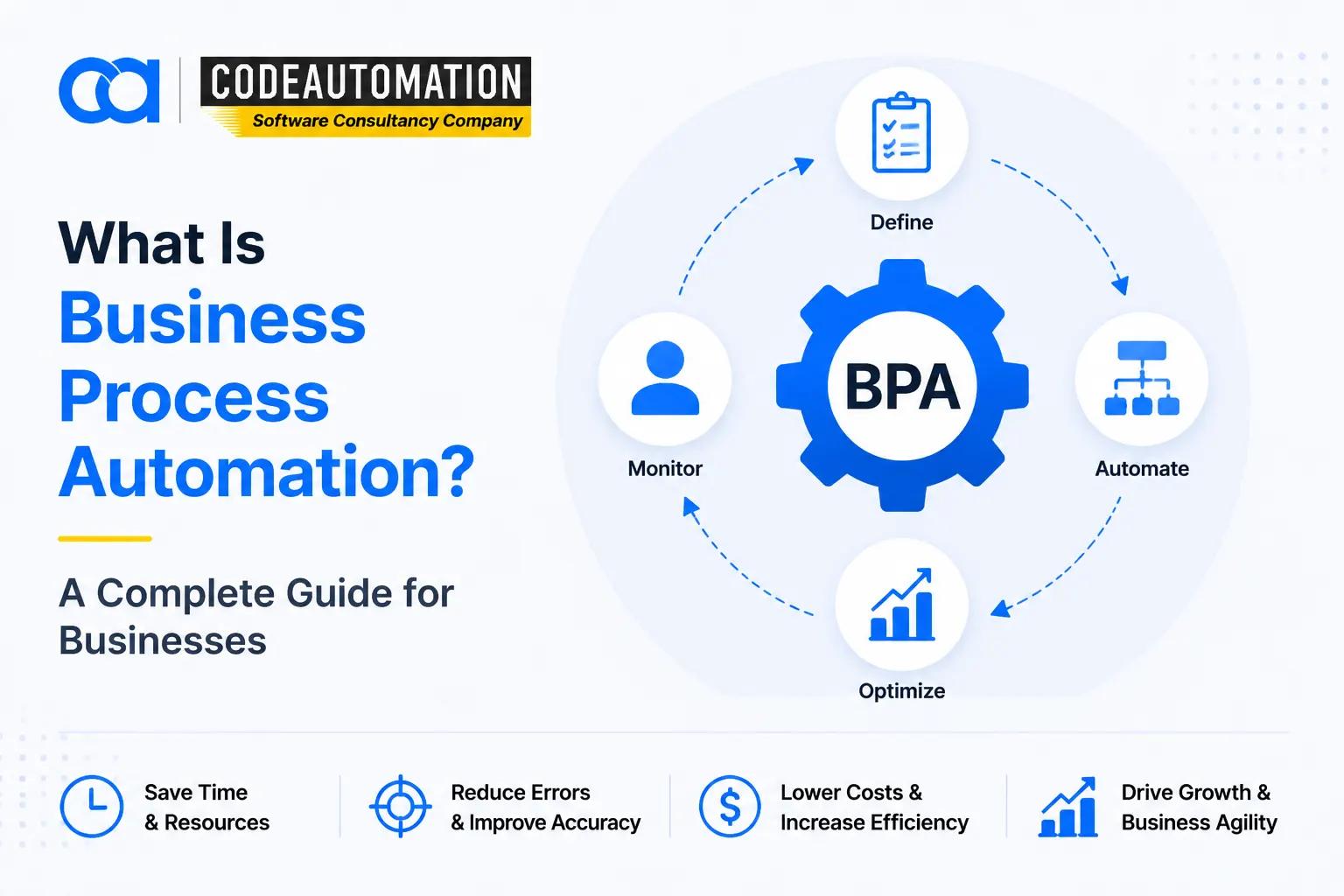
What Is Business Process Automation? A Complete Guide for Businesses
Published 03/09/2026
Businesses today rely on dozens of processes to operate efficiently — from handling customer requests and processing invoices to managing employee workflows and updating business systems.
Businesses today rely on dozens of processes to operate efficiently — from handling customer requests and processing invoices to managing employee workflows and updating business systems.
However, many organizations still depend on manual tasks, spreadsheets, emails, and disconnected applications to complete daily operations. As businesses grow, these manual processes often become slower, harder to manage, and more expensive.
This is where business process automation (BPA) helps.
Business process automation allows companies to use technology to automate repetitive, structured workflows so employees can spend more time on higher-value activities. Instead of replacing people, automation helps teams work faster, reduce errors, and create more consistent operations.
Modern businesses are also moving beyond traditional workflow automation by combining automation with artificial intelligence (AI), integrations, and intelligent systems to handle more complex processes.
What Is Business Process Automation?
Business process automation (BPA) is the use of technology to automate repetitive and multi-step business processes with minimal manual involvement.
A business process is a series of connected activities performed to achieve a specific business goal. Examples include processing customer orders, approving expenses, onboarding employees, managing sales leads, or handling customer support requests.
With automation, businesses can convert these processes into digital workflows where tasks are automatically triggered, information moves between systems, and employees are notified when human input is required.
For example:
A manual invoice process may require an employee to receive an invoice, verify information, request approval, update accounting records, and notify finance.
An automated process can capture invoice data, route it for approval, update financial systems, and create notifications automatically.
The goal of business process automation is not simply to remove manual work. It is to create smoother, faster, and more reliable ways of operating.
How Does Business Process Automation Work?
Business process automation usually begins by understanding how a process currently works and identifying where technology can improve it.
A typical automation workflow includes:
- Identifying repetitive or inefficient processes
- Mapping existing workflows and decision points
- Connecting business applications and data sources
- Automating repetitive tasks and approvals
- Monitoring performance and improving workflows
For example, a sales team may automate lead management by automatically assigning new leads, updating CRM records, sending follow-up messages, and notifying sales representatives.
The most effective automation projects focus on processes that consume significant employee time, involve repetitive decisions, or require information to move between multiple systems.
Why Are Businesses Adopting Process Automation?
Many businesses do not struggle because they lack software. They struggle because their systems and processes do not work together efficiently.
As companies grow, common operational challenges appear:
- Employees spend too much time on repetitive administrative work
- Teams manually transfer information between applications
- Approval processes create unnecessary delays
- Important business data becomes difficult to access
- Customers experience slower response times
Business process automation helps organizations remove these bottlenecks by creating connected workflows that improve speed, visibility, and consistency.
For growing companies, automation is becoming less of an optional improvement and more of a foundation for scaling operations without continuously increasing manual workload.

Ready to Automate Your Success?
From AI-powered applications to scalable software development, we help businesses automate workflows and accelerate growth.
Book a Free ConsultationBenefits of Business Process Automation
Improved Efficiency and Employee Productivity
One of the biggest advantages of business process automation is reducing repetitive work.
Employees often spend hours performing tasks such as:
- Copying data between systems
- Sending routine notifications
- Creating reports
- Managing approvals
Automation handles these activities consistently, allowing teams to focus on strategic work that requires human judgment.
Reduced Operational Costs
Automation can reduce the amount of time businesses spend completing routine processes.
Instead of increasing operational costs as the company grows, automated workflows allow businesses to handle higher volumes of work without adding the same amount of manual effort.
The value is not only financial savings but also better allocation of employee resources.
Fewer Errors and More Consistent Processes
Manual processes often create inconsistencies because every employee may complete tasks differently.
Automation creates standardized workflows where:
- Information follows defined steps
- Rules are applied consistently
- Data moves accurately between systems
This improves reliability, especially for processes involving large amounts of information.
Better Customer Experience
Customer expectations continue to increase. Slow responses and inefficient processes can negatively impact customer relationships.
Automation helps businesses improve customer experiences through:
- Faster responses
- Automated updates
- Self-service options
- More consistent communication
For example, automated customer support workflows can route requests, prioritize issues, and provide faster assistance.
Types of Business Process Automation
Business process automation can take different forms depending on the complexity of the workflow.
Workflow Automation
Workflow automation focuses on moving tasks, information, and approvals through predefined processes.
Common examples include:
- Approval workflows
- Employee requests
- Customer onboarding
- Internal notifications
This type of automation is commonly used when processes follow predictable steps.
Robotic Process Automation (RPA)
Robotic process automation uses software bots to perform repetitive computer-based tasks.
Examples include:
- Extracting information from documents
- Updating records
- Moving data between applications
- Performing repetitive administrative tasks
RPA is especially useful for processes involving structured data and repetitive actions.
Intelligent Automation and AI-Powered Automation
AI-powered automation extends traditional automation by helping systems understand information, analyze data, and support more complex decisions.
Examples include:
- AI document processing
- Intelligent customer support assistants
- Automated data analysis
- AI-powered workflow recommendations
This evolution allows businesses to automate processes that previously required more human involvement.
Business Process Automation Examples and Use Cases
Business process automation can be applied across almost every department.
Sales and Marketing Automation
Sales teams often use automation to manage leads and customer interactions.
Examples include:
- Lead assignment
- Customer follow-ups
- CRM updates
- Email workflows
Automation helps sales teams respond faster while maintaining consistent communication.
Finance and Accounting Automation
Finance departments frequently deal with repetitive processes that are ideal for automation.
Examples include:
- Invoice processing
- Expense approvals
- Payment workflows
- Financial reporting
Automation reduces manual data handling and improves accuracy.
Customer Support Automation
Customer service teams can automate repetitive support activities.
Examples include:
- Ticket routing
- Customer notifications
- Frequently asked questions
- Support workflows
This allows teams to resolve customer issues faster.
HR and Internal Operations Automation
HR departments use automation to simplify employee-related processes.
Examples include:
- Employee onboarding
- Leave approvals
- Document management
- Internal requests
Automation creates smoother employee experiences and reduces administrative workload.
Business Process Automation vs RPA vs AI Automation
Although these terms are often used together, they solve different problems.
Business Process Automation (BPA)
BPA focuses on improving complete business workflows.
It connects multiple tasks, systems, and departments to create smoother processes.
Robotic Process Automation (RPA)
RPA focuses on automating individual repetitive tasks.
It is useful when employees repeatedly perform the same actions inside software systems.
AI Automation
AI automation adds intelligence to automated workflows.
Instead of only following predefined rules, AI-powered systems can analyze information, understand context, and assist with decisions.
For businesses looking to modernize operations, combining workflow automation with AI creates more flexible and scalable solutions.
How to Identify Processes That Should Be Automated
Not every business process needs automation.
The best candidates are usually processes that:
- Happen frequently
- Require repetitive manual work
- Follow predictable rules
- Involve multiple systems
- Create delays or errors
Before automating, businesses should evaluate:
- How much employee time does this process consume?
- Does the process slow down customers or teams?
- Can automation improve speed, accuracy, or visibility?
Starting with high-impact processes usually produces better results than attempting to automate everything at once.
Business Process Automation Software and Solutions
Businesses can use different automation approaches depending on their needs.
Some organizations use existing automation platforms, while others require customized solutions that connect multiple systems and support unique workflows.
The right approach depends on:
- Existing technology environment
- Business goals
- Process complexity
- Integration requirements
- Scalability needs
For companies with specialized workflows, custom automation solutions can provide more flexibility than standard tools.
How to Successfully Implement Business Process Automation
Successful automation starts with understanding the business process, not selecting a tool.
A practical approach includes:
Analyze Existing Processes
Identify where employees spend time, where delays occur, and where errors frequently happen.
Select the Right Automation Opportunities
Prioritize processes that create measurable improvements.
Connect Systems and Data
Automation works best when business applications can communicate effectively.
Measure Results
Track improvements such as reduced processing time, fewer errors, and better customer experiences.
Continuous improvement ensures automation continues creating value as the business changes.
Common Mistakes Businesses Make When Automating Processes
Automating Inefficient Processes
Automation cannot fix a broken workflow.
Businesses should improve the process first before automating it.
Choosing Technology Before Understanding Requirements
The best automation solution depends on business objectives, not simply the popularity of a tool.
Ignoring Integration and Scalability
Automation should work with existing systems and support future growth.
A solution that works today but creates limitations tomorrow can become another operational challenge.
How AI-Powered Business Automation Helps Companies Scale
Traditional automation improved repetitive workflows, but AI is expanding what businesses can automate.
Modern AI-powered automation can help companies:
- Process complex information
- Improve decision-making
- Connect disconnected systems
- Assist employees with daily tasks
- Create more adaptive workflows
Businesses looking to move beyond simple task automation can explore AI business automation solutions that combine intelligent workflows, integrations, and custom automation capabilities.
This approach helps organizations build systems that support growth instead of creating additional complexity.
Build Smarter Processes That Grow With Your Business
Business process automation is no longer only about reducing manual tasks. It is about creating efficient systems that help businesses operate faster, serve customers better, and scale more effectively.
The right automation strategy starts by understanding where your business loses time, where processes slow growth, and where technology can create measurable improvements.
Whether you need workflow automation, system integrations, or AI-powered solutions, the goal should always be the same: create technology that adapts to your business needs.
Ready to Transform Manual Workflows Into Smarter Business Operations?
Explore how AI business automation solutions can help your organization streamline processes, connect systems, and build scalable workflows designed around your goals.
Frequently Asked Questions (FAQs)
Everything you need to know about our products and services
Business process automation is using technology to complete repetitive business tasks and workflows automatically, reducing manual effort and improving efficiency.
Common examples include automated invoice processing, customer support workflows, employee onboarding, sales follow-ups, approval systems, and reporting processes.
The main benefits include improved efficiency, reduced operational costs, fewer errors, faster workflows, better visibility, and improved customer experiences.
BPA focuses on automating complete business workflows, while RPA focuses on automating specific repetitive tasks performed through software applications.
Businesses should look for processes that are repetitive, time-consuming, error-prone, involve multiple systems, or create operational delays.





Adnan Ghaffar is the visionary CEO of CodeAutomation.ai, a platform dedicated to transforming how businesses build software through cutting-edge automation. With over a decade of experience in software development, QA automation, and team leadership, Adnan has built a reputation for delivering scalable, intelligent, and high-performance solutions.
Under his leadership, CodeAutomation.ai has grown into a trusted name in AI-driven development, empowering startups and enterprises alike to streamline workflows, accelerate time-to-market, and maintain top-tier product quality. Adnan is passionate about innovation, process improvement, and building products that truly solve real-world problems.
More Articles

30/ 04/ 2026
Autonomous task-oriented AI agents: Redefining workflow execution in 2026
20/08/2026
Custom Software vs. Off-the-Shelf Software: Which Is Right for Your Business?
16/09/2026
AI CRM Automation: AI Solutions That Integrate With Popular CRM Systems

11/09/2026
Remote Sensing AI How Artificial Intelligence Is Transforming Earth Observation
04/09/2026
What Are AI Agents A Complete Guide for Businesses

03/ 19/ 2026