




















What Is CRM Integration? A Complete Guide for Businesses
Published 27/08/2026
Modern businesses rely on multiple software systems to manage sales, marketing, customer support, operations, and analytics. While these tools improve productivity, disconnected systems often create data silos, duplicate information, and manual processes.
Modern businesses rely on multiple software systems to manage sales, marketing, customer support, operations, and analytics. While these tools improve productivity, disconnected systems often create data silos, duplicate information, and manual processes.
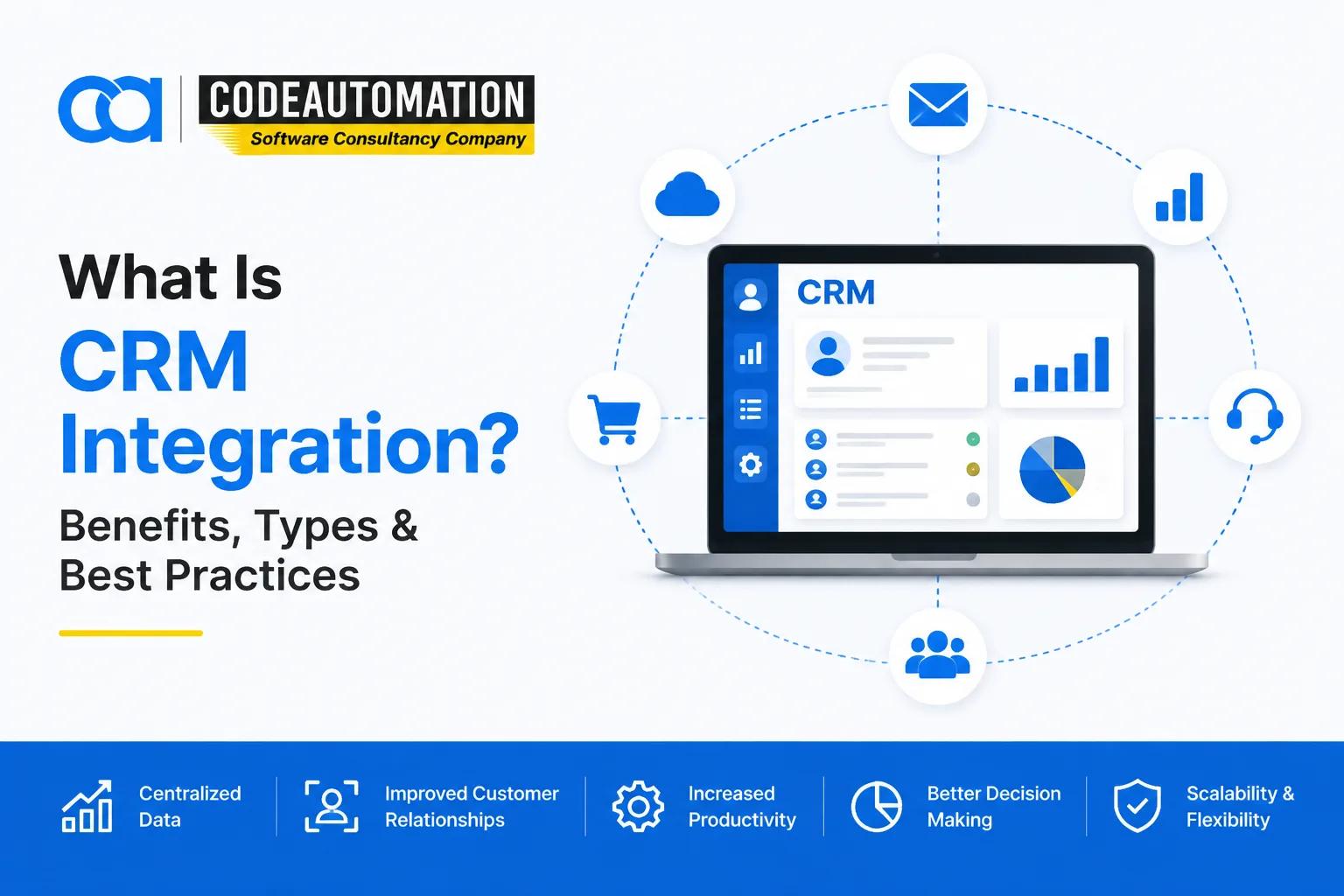
CRM integration solves this challenge by connecting a customer relationship management (CRM) platform with other business applications, allowing customer data and workflows to move seamlessly between systems.
With CRM integration, businesses can create a unified customer view, automate repetitive tasks, improve team collaboration, and make better decisions using accurate information.
What Is CRM Integration?
CRM integration is the process of connecting a CRM system with other business applications, platforms, or databases so information can be automatically shared and synchronized.
Instead of manually moving customer information between different tools, integrated systems allow businesses to maintain consistent data across departments.
For example:
- A website inquiry can automatically create a new CRM lead.
- A customer purchase can update sales records.
- Support interactions can become visible to sales teams.
- Marketing activities can be tracked within customer profiles.
The main purpose of CRM integration is to create a connected business environment where teams can access accurate customer information whenever they need it.
Why Is CRM Integration Important for Businesses?
Many organizations use separate systems for sales, marketing, customer support, finance, and operations. When these systems are disconnected, employees often spend time searching for information or manually updating records.
CRM integration helps businesses overcome these challenges.
Creates a Complete Customer View
CRM integration combines customer information from multiple systems into one centralized view.
Teams can access:
- Customer interactions
- Purchase history
- Sales activities
- Communication records
- Support information
This allows businesses to understand customers better and provide more personalized experiences.
Reduces Manual Work
Disconnected systems often require employees to copy information between platforms.
CRM integration automates data transfer, reducing:
- Repetitive data entry
- Human errors
- Duplicate records
- Administrative workload
Improves Sales Efficiency
Sales teams perform better when they have access to complete customer information.
CRM integration helps teams:
- Track leads more effectively
- Automate follow-ups
- Monitor sales pipelines
- Improve customer communication
Supports Better Decision-Making
When CRM data is connected with other business systems, managers gain better visibility into customer behavior, sales performance, and operational trends.
How Does CRM Integration Work?
CRM integration connects different applications through technologies and workflows that allow systems to communicate.
The process usually involves three main areas.
Connecting Business Applications
A CRM can connect with many types of systems, including:
- Websites
- Marketing platforms
- ERP systems
- Accounting software
- E-commerce platforms
- Customer support tools
- Analytics platforms
These connections allow information to move between applications automatically.
Synchronizing Customer Data
Once systems are connected, data can be synchronized between platforms.
Common synchronized data includes:
- Customer profiles
- Leads
- Orders
- Communication history
- Sales activities
This ensures teams work with consistent and updated information.

Ready to Automate Your Success?
From AI-powered applications to scalable software development, we help businesses automate workflows and accelerate growth.
Book a Free ConsultationAutomating Workflows
CRM integration enables businesses to automate processes such as:
- Assigning leads to sales representatives
- Sending customer notifications
- Creating follow-up tasks
- Updating records automatically
Types of CRM Integration
Businesses can choose different integration approaches depending on their systems, requirements, and technical complexity.
Native CRM Integrations
Native integrations are pre-built connections provided by CRM platforms.
They are commonly used for standard connections such as:
- Email tools
- Calendar applications
- Marketing platforms
Benefits include faster setup and easier maintenance.
API-Based CRM Integration
API integration allows different applications to communicate directly with each other.
Businesses use API-based integrations for:
- Custom applications
- Real-time data exchange
- Advanced automation
- Unique business workflows
Middleware and iPaaS Integration
Middleware platforms connect multiple applications through a centralized integration layer.
This approach is useful when businesses need to connect several systems, such as:
- CRM
- ERP
- Marketing tools
- Cloud applications
Custom CRM Integration
Some businesses require custom integrations because their workflows, applications, or data requirements are unique.
Custom CRM integrations are commonly used for:
- Enterprise applications
- Legacy systems
- Complex automation requirements
Common CRM Integrations Businesses Use
CRM systems are often connected with other business applications to improve efficiency and customer experiences.
CRM and Marketing Automation Integration
Marketing teams collect valuable customer engagement data through campaigns, emails, and online interactions.
By connecting marketing platforms with CRM systems, businesses can:
- Transfer leads automatically
- Track campaign performance
- Segment customers
- Personalize communication
This creates a smoother connection between marketing activities and sales processes.
CRM and ERP Integration
ERP systems manage operational information, while CRM systems manage customer relationships.
Connecting both systems helps businesses create better visibility across sales and operations.
Benefits include:
- More accurate customer information
- Better order visibility
- Improved sales forecasting
- Faster internal processes
CRM and E-commerce Integration
E-commerce businesses collect valuable customer data through purchases, browsing activity, and transactions.
CRM integration connects this information with customer profiles.
Businesses can:
- Track purchase history
- Personalize customer communication
- Improve retention strategies
- Identify sales opportunities
CRM and Business Intelligence Integration
CRM data becomes more valuable when combined with analytics platforms.
Integrating CRM with business intelligence systems helps organizations analyze:
- Sales performance
- Customer behavior
- Revenue trends
- Pipeline growth
This enables leadership teams to make decisions based on connected and reliable data.
Benefits of CRM Integration
Improved Data Accuracy
Connected systems reduce duplicate records and ensure customer information remains consistent across platforms.
Increased Automation
Businesses can automate repetitive activities and allow teams to focus on higher-value tasks.
Better Collaboration
Sales, marketing, and customer support teams can access shared customer information.
Enhanced Customer Experience
Complete customer visibility allows businesses to deliver faster and more personalized interactions.
Improved Reporting
Integrated CRM data provides better insights into sales performance, customer behavior, and business growth.
CRM Integration Challenges
Although CRM integration provides significant benefits, businesses should plan carefully to avoid common issues.
Data Quality Problems
Incorrect or duplicate data can affect integration accuracy.
Businesses should clean and organize data before connecting systems.
Security Considerations
CRM integrations involve sensitive customer information.
Organizations should consider:
- Secure authentication
- Access permissions
- Data protection practices
Integration Complexity
Complex systems may require technical expertise to ensure reliable data flow and workflow automation.
Lack of Maintenance
CRM integrations should be monitored and updated as business requirements and software systems evolve.
CRM Integration vs CRM Implementation
CRM integration and CRM implementation are related but different processes.
CRM Implementation
CRM implementation focuses on setting up and configuring a CRM system.
It includes:
- User configuration
- Sales pipelines
- Custom fields
- Dashboards
- Workflow setup
CRM Integration
CRM integration focuses on connecting the CRM with other applications.
It includes:
- Data synchronization
- Application connections
- Automated workflows
- Third-party integrations
Many businesses need both CRM implementation and integration to create a complete customer management solution.
How to Successfully Implement CRM Integration
A successful CRM integration requires proper planning and execution.
Define Business Requirements
Identify:
- Which systems need integration
- What data should be shared
- Which processes should be automated
Select the Right Integration Approach
Choose between:
- Native integrations
- APIs
- Middleware solutions
- Custom integrations
based on business requirements.
Map and Test Data
Review data fields carefully and test workflows before launching.
This helps prevent:
- Data loss
- Incorrect synchronization
- Workflow errors
Monitor and Optimize
Regular monitoring ensures integrations continue supporting changing business needs.
Popular CRM Platforms That Support Integration
Many CRM platforms provide integration capabilities for connecting business systems.
Popular platforms include:
- Salesforce
- HubSpot CRM
- Zoho CRM
- Microsoft Dynamics 365
- GoHighLevel
The right platform depends on business goals, workflows, and integration requirements.
How CRM Integration Supports Business Growth
CRM integration helps businesses move from disconnected applications to connected digital operations.
By connecting CRM systems with existing tools, organizations can:
- Improve sales processes
- Automate workflows
- Reduce manual tasks
- Improve customer experiences
- Make data-driven decisions
Businesses looking to connect CRM platforms with existing applications often use professional CRM setup and integration services to configure systems, automate workflows, and create reliable data connections.
How to Choose a CRM Integration Partner
Choosing the right integration partner is important for long-term success.
Consider:
CRM Experience
A partner should understand different CRM platforms and business requirements.
Technical Integration Skills
Look for experience with:
- APIs
- Data synchronization
- Automation workflows
- Third-party systems
Security Practices
Customer information should be handled securely throughout the integration process.
Ongoing Support
Reliable support helps maintain integrations and optimize workflows over time.
Conclusion
CRM integration enables businesses to connect their applications, unify customer information, and automate important workflows.
Instead of managing disconnected systems, organizations can create a connected environment where teams have access to accurate data and customers receive better experiences.
A successful CRM integration strategy requires careful planning, the right technology approach, and expertise in connecting different systems.
Frequently Asked Questions (FAQs)
Everything you need to know about our products and services
CRM integration connects a CRM system with other business applications to synchronize customer data and automate workflows.
Businesses use CRM integration to eliminate data silos, improve data accuracy, automate processes, and provide better customer experiences.
CRM systems can integrate with marketing platforms, ERP systems, e-commerce platforms, accounting software, customer support tools, analytics platforms, and custom applications.
The timeline depends on the number of systems involved, data complexity, customization requirements, and integration approach.
Yes. Custom CRM integrations can connect unique business systems and automate workflows based on specific operational requirements.





Adnan Ghaffar is the visionary CEO of CodeAutomation.ai, a platform dedicated to transforming how businesses build software through cutting-edge automation. With over a decade of experience in software development, QA automation, and team leadership, Adnan has built a reputation for delivering scalable, intelligent, and high-performance solutions.
Under his leadership, CodeAutomation.ai has grown into a trusted name in AI-driven development, empowering startups and enterprises alike to streamline workflows, accelerate time-to-market, and maintain top-tier product quality. Adnan is passionate about innovation, process improvement, and building products that truly solve real-world problems.
More Articles

7 Benefits of Using Agentic AI in Your Business in 2026
16/09/2026
AI CRM Automation: AI Solutions That Integrate With Popular CRM Systems
26/10/2026
ArcGIS Development Services: Building Custom GIS Applications and Solutions
02/10/2026
What Is Recursive Self-Improvement in AI and How Does It Work?
09/09/2026
What Is Geospatial Data Engineering? A Complete Guide for Businesses
16/09/2026